
Create your own eLearning ecosystem
No matter which iSpring solution you choose, we’ll
support you in all things eLearning.
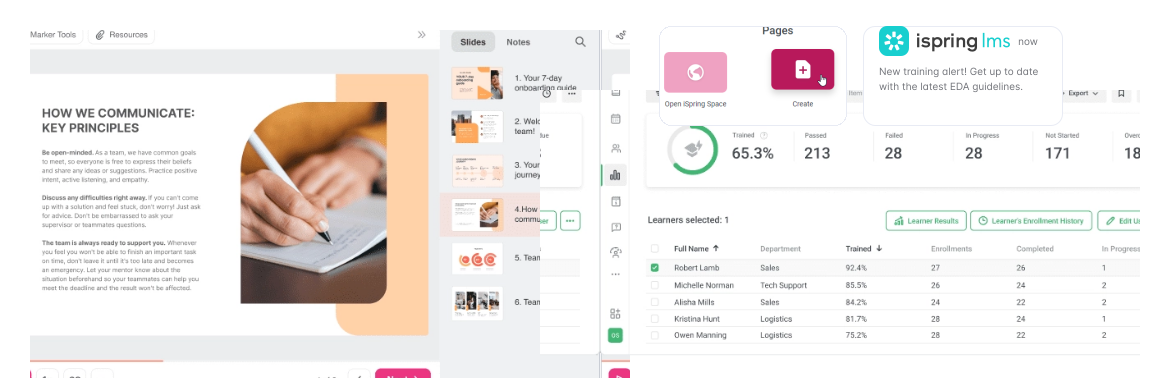

No matter which iSpring solution you choose, we’ll
support you in all things eLearning.
 61k+
61k+clients in 172 countries
 364
364employees worldwide
 23
23years in the industry
 300+
300+partners around the globe

Bundle the iSpring Suite capabilities with the ease of PowerPoint to create courses like these, no matter if you are a professional or a first-timer. Convert your PowerPoint slides into SCORM or xAPI courses with a single click. Publish to your LMS or export as HTML5/MP4 for YouTube.

Bundle the iSpring Suite capabilities with the ease of PowerPoint to create courses
like these, no matter if you are a professional or a first-timer.

Convert your PowerPoint slides into SCORM or xAPI courses with a single click.

Create content twice as fast with iSpring AI. Get relevant course ideas and generate quiz questions in multiple languages.

Boost learner engagement and assess progress with 14 types of quiz questions, like matching and drag-and-drop.

Quickly create training videos and combine them with presentation slides. Record advanced software tutorials and enhance them with voice narration, visual hints, annotations, and special effects.

Ensure better knowledge retention with immersive role-plays. Create dialogues with branching, characters, and professional voice-overs that simulate real-world scenarios and help learners hone their skills.

Ensure better knowledge retention with immersive role-plays. Create dialogues with branching, characters, and professional voice-overs that simulate real-world scenarios and help learners hone their skills.

Deploy training that employees can take from any device thanks to the native iSpring Learn app. Access training online and offline – on a plane, in locations with weak internet connection, or between critical meetings.
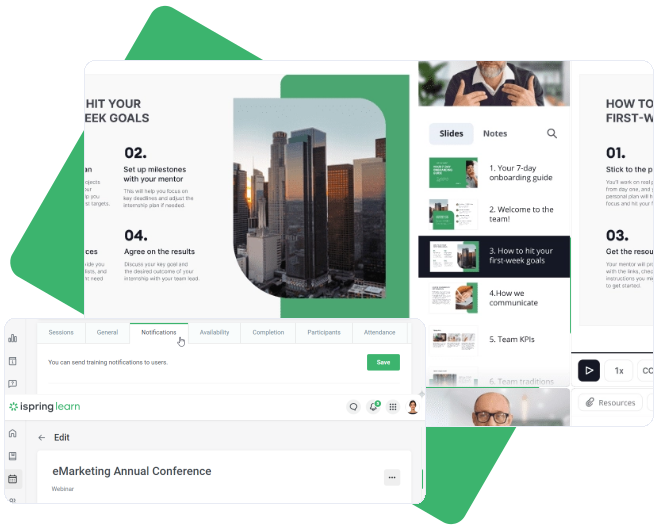
Deploy training that employees can take from any device
thanks to the native iSpring Learn app.

Feel free to upload your presentations (PPT), courses (SCORM), video tutorials (FLV, MP4), Flash clips (SWF) and audio tracks (MP3, WAV), as well as supplementary documents (PDF, DOC, XLS).

iSpring Learn doesn’t impose any limitations whatsoever on the number of hosted files. So feel free to upload as much content as you want!

All you need to start training employees is to quickly enroll them in courses and learning tracks and set completion rules.

See which training materials truly work and which prove ineffective. Get full control over learners’ progress on every course with the Performance Summary, Course Details, and other reports.

iSpring Learn collects feedback in a 360-degree survey format. An employee’s professional skills are assessed by everyone they work with, from subordinates to managers.

iSpring Learn can be easily customized and branded to match your corporate identity.
Feel free to reach out if you need high-volume licenses, academic and freelance discounts, or want a custom quote. We’ll get back to you shortly!
The intuitive authoring tool that puts the learner experience first..
Bundle of iSpring Learn LMS and iSpring Suite Standard authoting tool.
Bundle of iSpring Learn LMS and iSpring Suite Max Authoring tool.
Questions :Yes, iSpring Suite Max features an AI assistant that can generate and edit content, offer course ideas, summarize text, and generate quiz questions and answers.
iSpring Suite is a tool developed as Windows-based software, it doesn’t have a standalone version for Mac users. However, you can access and use the authoring tool from Mac. Here are the two ways to do it: If you have an Intel-based Mac, you can install a licensed copy of Microsoft Windows to your computer and run the desktop version of iSpring Suite. You can use iSpring Page, our browser-based authoring tool for creating beautiful page-like courses and assessments without the need to install Windows on your Mac.
Yes, our technical support team will guide you throughout the installation process and help you use the tool effectively for your course creation needs. You can also browse step-by-step instructions and help docs in the iSpring Suite Knowledge Base with answers to all the questions about the tool’s interface and functionalities.
Yes, all learning content created with iSpring Suite works perfectly on smartphones and tablets. Content, buttons, controls, and course panels automatically adapt to any screen size and layout. Learners can use gestures to tap, swipe, or zoom course elements and interact with them effortlessly.
Yes, iSpring Suite Max features Content Library, a vast collection of eLearning assets with 2,300+ course templates you can use for fast creation. You also get access to other assets that include:
Questions :There are two ways you can upload your content to iSpring Learn:
You can’t make courses public in your iSpring Learn account, only registered users have access to them.
You can reset someone’s progress by canceling their enrollment and assigning the course again.
Currently, you can use the iSpring Learn learner portal in 28 languages: English, Spanish, Simplified Chinese, Traditional Chinese, Japanese, Portuguese, German, Mongolian, French, Italian, Dutch, Finnish, Ukrainian, Norwegian, Polish, Azerbaijani, Kazakh, Romanian, Russian, Korean, Bulgarian, Czech, Uzbek, Danish, Greek, Arabic, Indonesian and Catalan.
Of course you can! You can create a new account name and URL so that users can see the name of your company, add your branding/logo, set the color theme with the cover image, change the language of your account, etc.
+
Every day, we work hard to provide our clients with best-in-class software and customer
service. Opting for iSpring, you choose decades of eLearning experience and a
result-oriented team that will do their best to help your business
thrive.’ll
support you in all things eLearning.

Copyright © 2024 SparkDynamic GmbH. All rights reserved.